Interactive Tools
Planning tools you can use in the room.
These are live, browser-based instruments — not worksheets. Open one, edit every map and form in place, and export or print what your team decides. Nothing requires an account, and for facilitated sessions a shared workspace code lets a whole room co-edit the same map from their own devices.
Systems · Policy
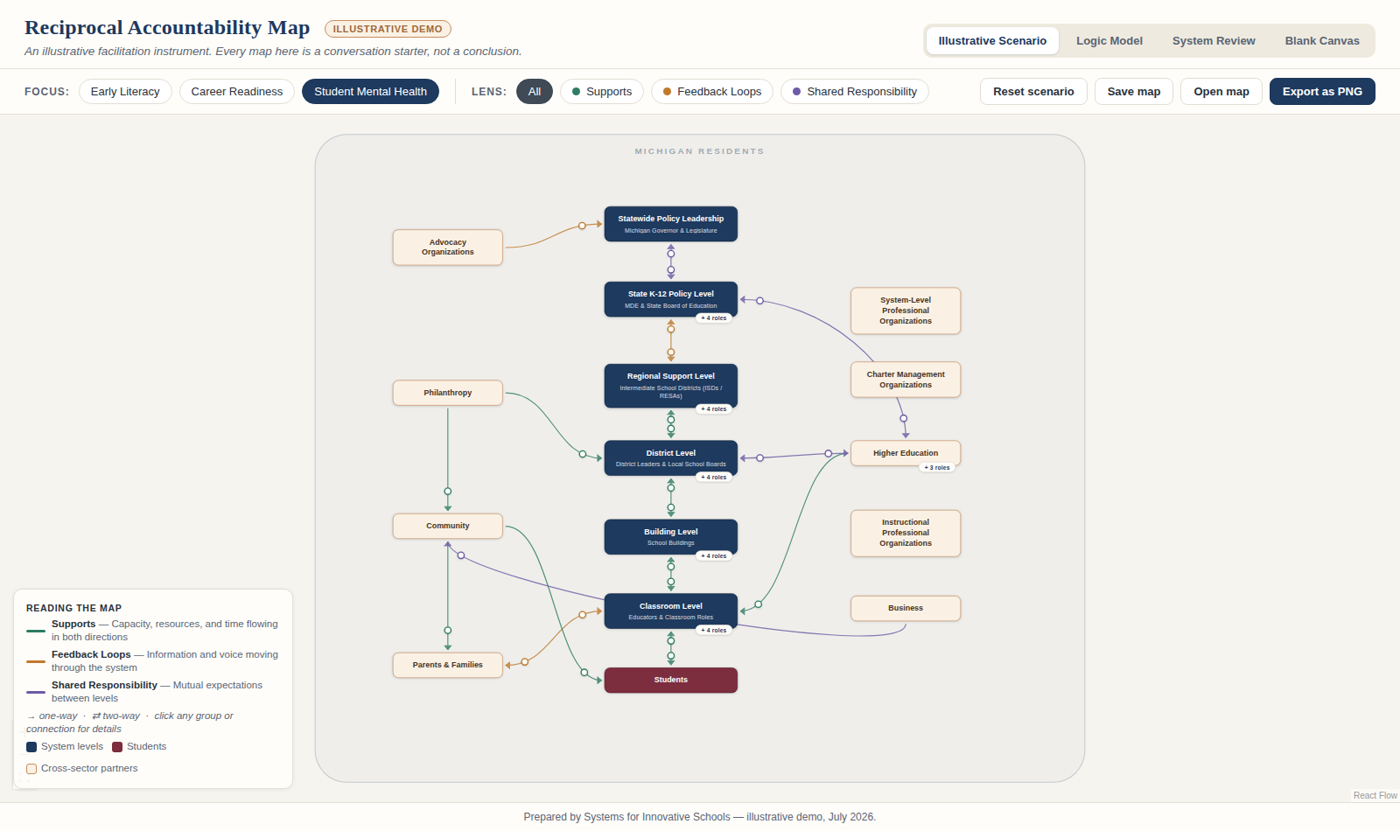
Reciprocal Accountability Map
A systems-mapping instrument built on one idea: accountability is not a chain of demands running downhill — it is a web of mutual obligations. The map renders a full state education system, from statewide policy leadership to the classroom, with every relationship carrying expectations in both directions.
- Three worked focus areas — early literacy, career readiness, and student mental health
- Four linked views: the organizational map, a logic model, a role-by-role System Review, and a blank canvas for live facilitation
- Every group, role, and connection is editable in place; export any view as an image
Implementation
Implementation Planning Map
The same visual grammar, pointed at a district's daily work: a school team maps one instructional initiative — who does what for the coming cycle, who briefs whom, and what the evidence should show — then reviews and re-plans on a weekly or biweekly rhythm. Built for grade-level teams planning the work of teachers, interventionists, and paraprofessionals together.
- Worked examples for elementary math small-groups and a K-3 reading intervention block
- A Cycle Review form that rolls each meeting's plan forward into the next review
- Next steps live on the people who do the work — and print cleanly for the briefing
60-second narrated demo: a grade-level team planning an MTSS math cycle.
Three ways in
Use them alone, with your team, or with me.
Explore the examples
Every view ships fully worked. Click through the scenarios, filter the relationship lenses, and trace the logic models — it's a reader's tour of how reciprocal systems hold together.
Map your own situation
The blank canvas and review forms are fully editable. Your work saves in your own browser, downloads as a single file, and prints — nothing leaves your device unless you choose.
Bring your whole table
In facilitated sessions, one workspace code puts everyone on the same live map — and saved versions let us compare how your system's picture changes between meetings.
Want a map of your system?
These instruments are at their best in a facilitated conversation — your roles, your initiative, your accountability web, drawn together in a working session.
Start a conversation